Get required information from Workable
Set up a partner token and subdomain in Workable and share them with your Indeed Employer Home administrator.
Who: Workable administrator
Time: ~30 minutes (one-time setup)
Get the partner token and subdomain from Workable and share them with your Indeed Employer Home administrator.
Step 1: Get partner token and subdomain
-
Go to Settings in your Workable dashboard.
-
Select Integrations in the sidebar.
-
Scroll to Job boards and expand Indeed.

Job boards section with Indeed option expanded. -
Enter your Indeed account email in Enter the company email address for Indeed. Select Confirm account.

Indeed email address field and Confirm account button. 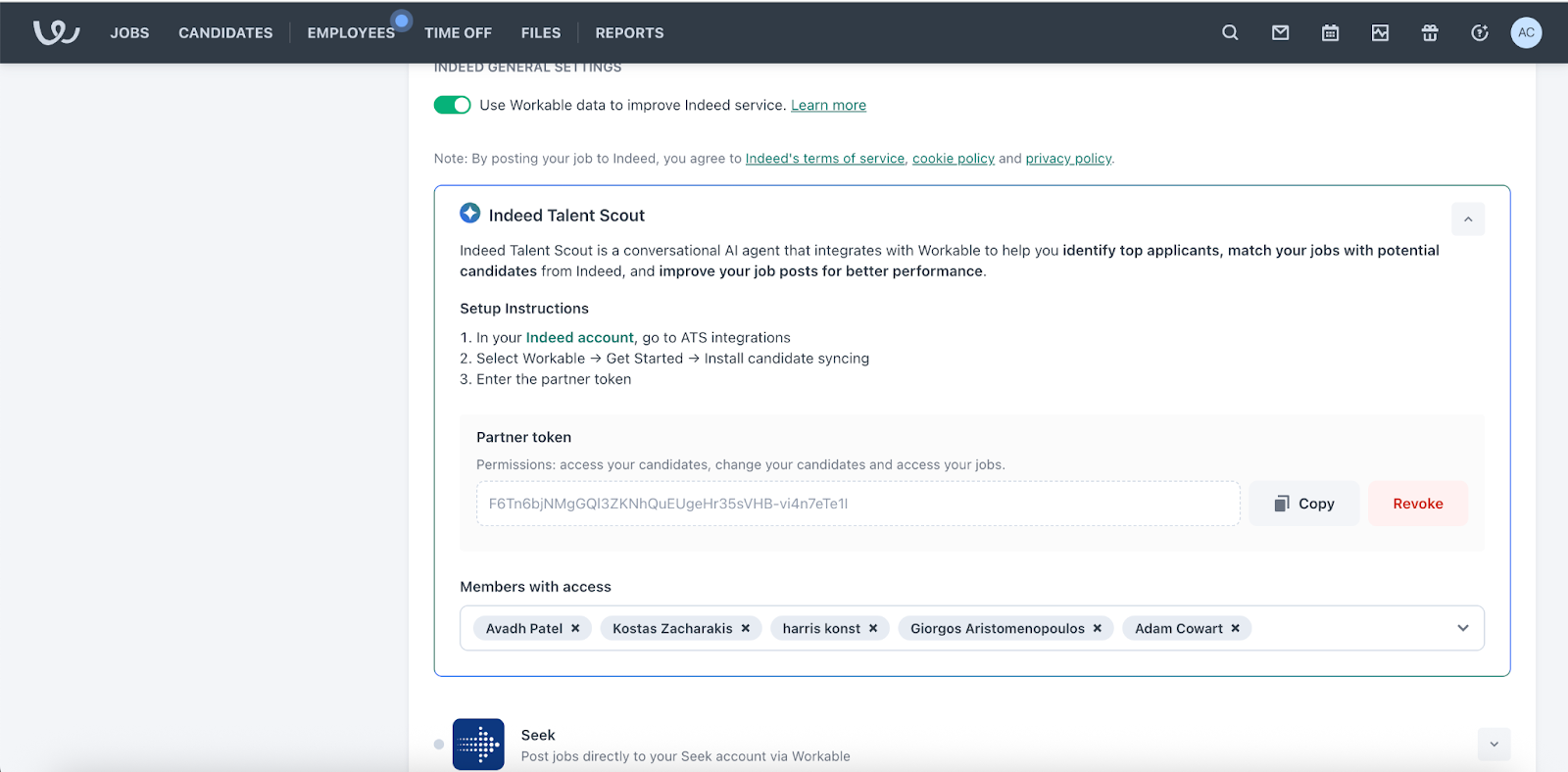
Partner token screen after account confirmation. -
Scroll to and expand Indeed Talent Scout.
-
Select Enable Indeed Talent Scout.
Workable generates the partner token.
-
Save the partner token.
-
Find the subdomain in your backend URL.
Example:
https://<subdomain>.workable.com/backend -
Share the partner token and subdomain with your Indeed Employer Home administrator.
Completed:
- Generated the partner token
- Found the subdomain
- Shared credentials with your Indeed Employer Home administrator
Next step: