Install the integration with Indeed
Complete the isolved integration setup in Indeed Integrations Hub.
Who: Indeed Employer Home administrator
Time: ~5 minutes (one-time setup)
Enter the API key from your isolved administrator, set candidate preferences, and activate the integration in Indeed Integrations Hub.
Step 1: Access the integration setup
-
Open Indeed Integrations Hub.
-
Select isolved Talent Acquisition (formerly ApplicantPro).
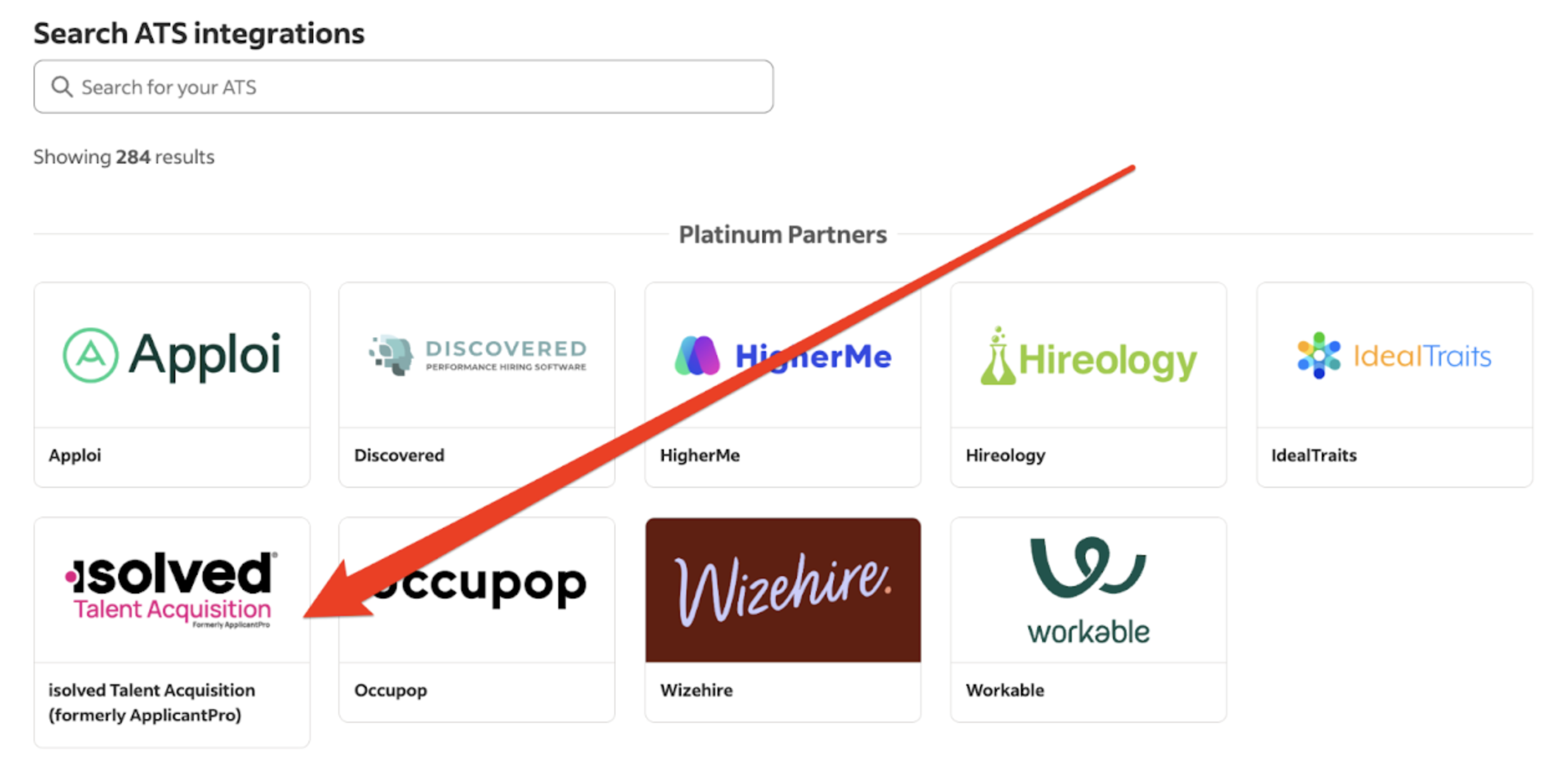
Select the isolved Talent Acquisition integration card -
Click Start installing.
Step 2: Configure and install
-
Under Prepare to go live, select the box to confirm isolved Talent Acquisition is configured, then click Continue.
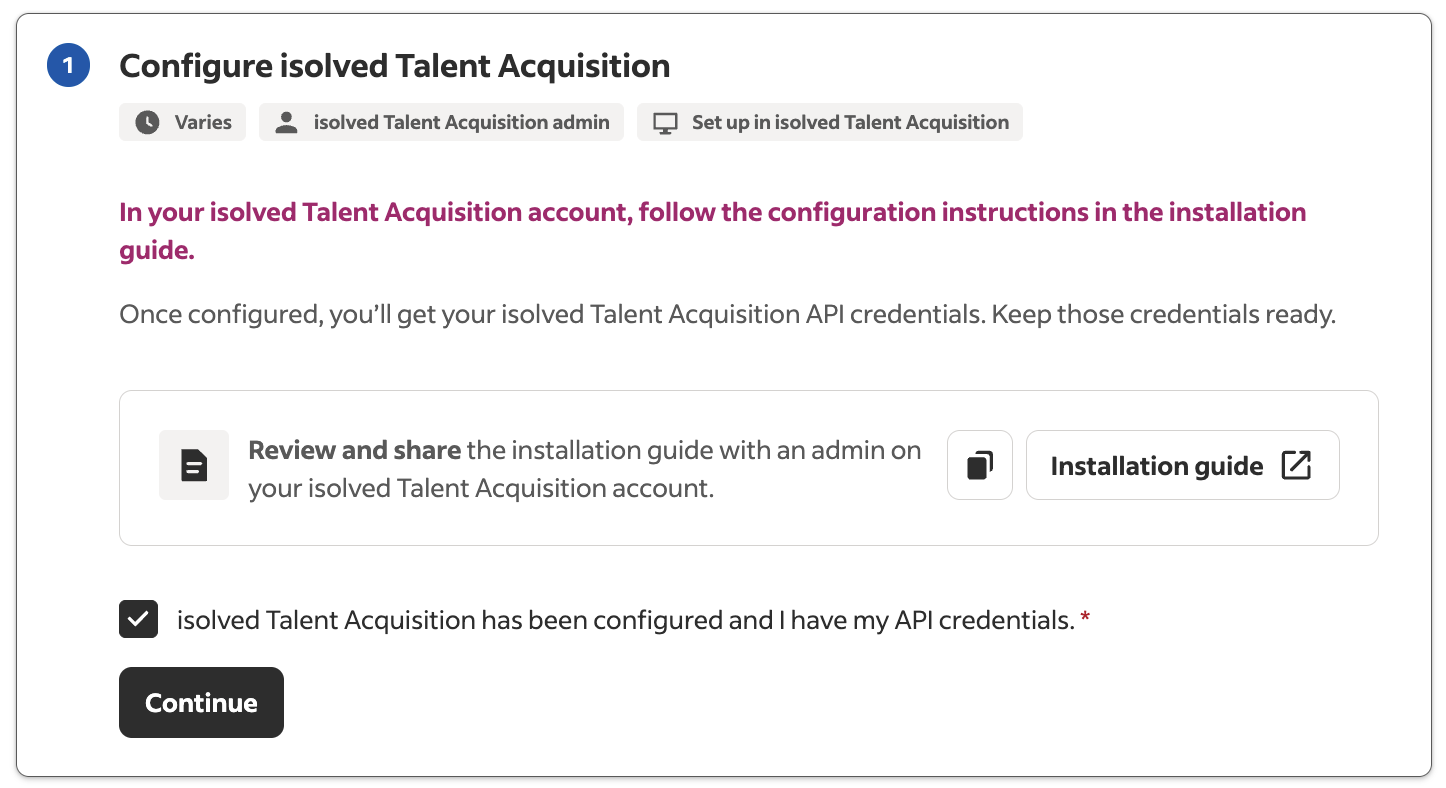
Confirm isolved configuration and continue -
Enter the API key from your isolved administrator.
-
Accept the terms and conditions, then click Continue.
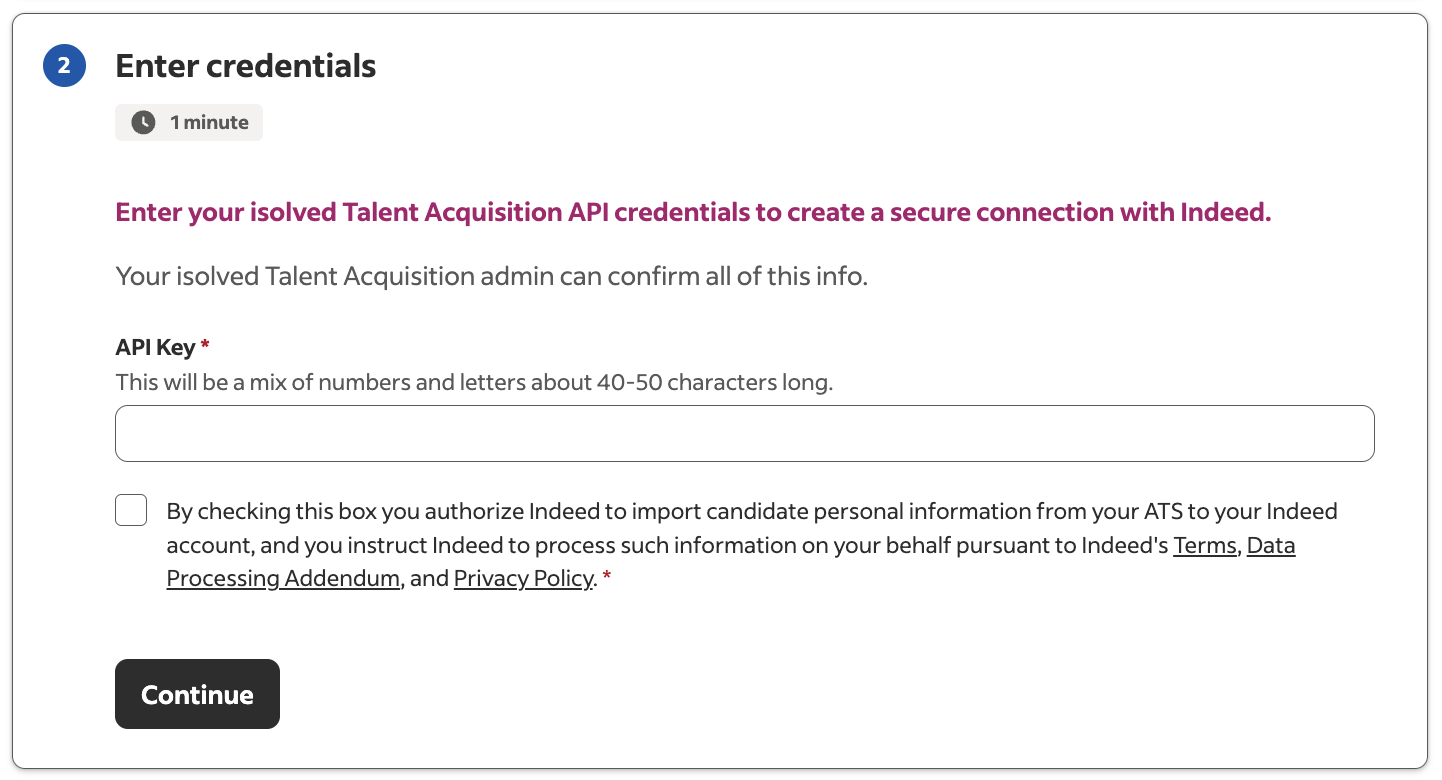
Enter the API key from your isolved administrator -
Set the candidate import timeframe (max 2 years).
-
Set the source label for candidates sent to isolved.
-
Click Continue.
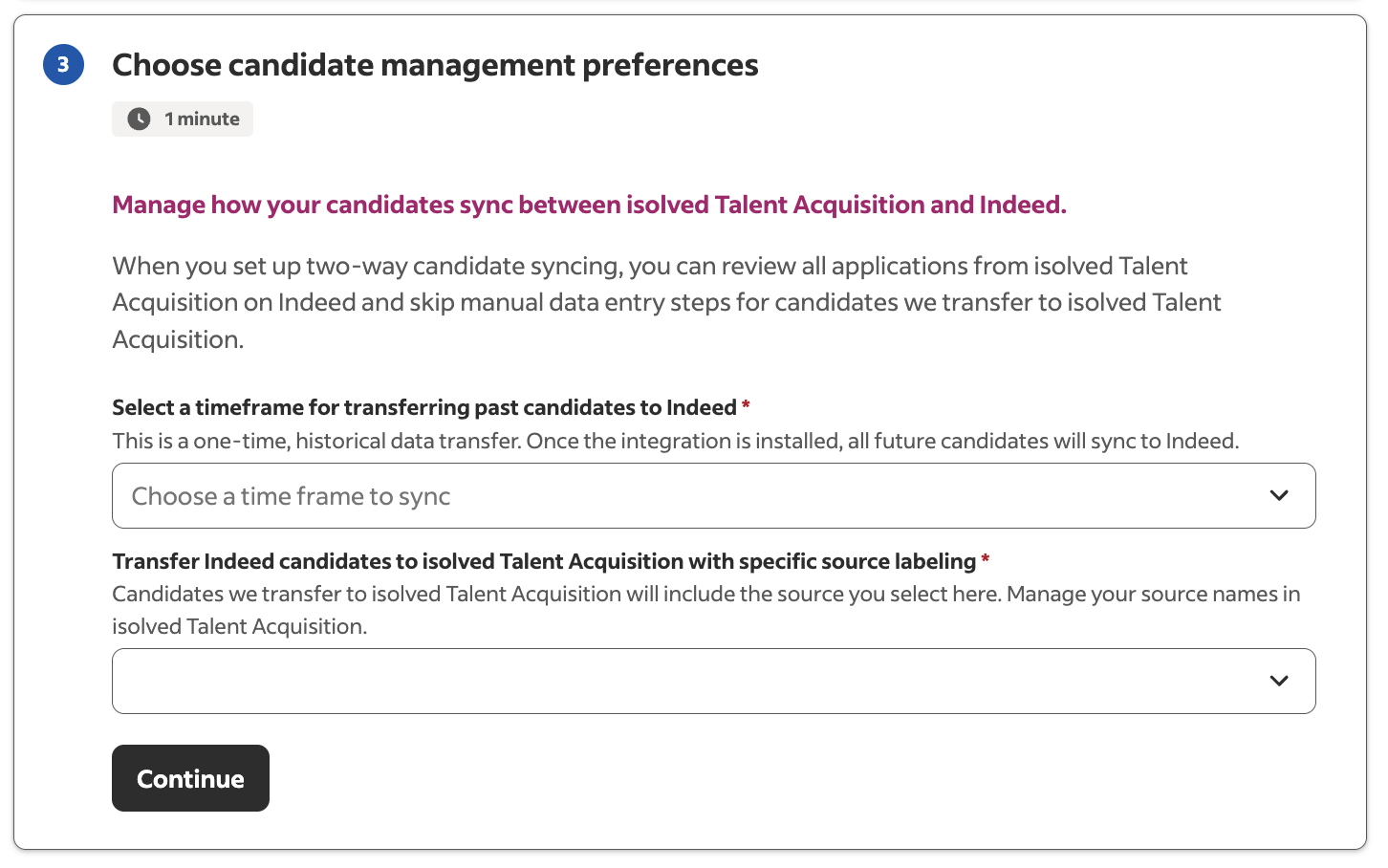
Configure candidate import timeframe and source labeling -
Click Finish installation.
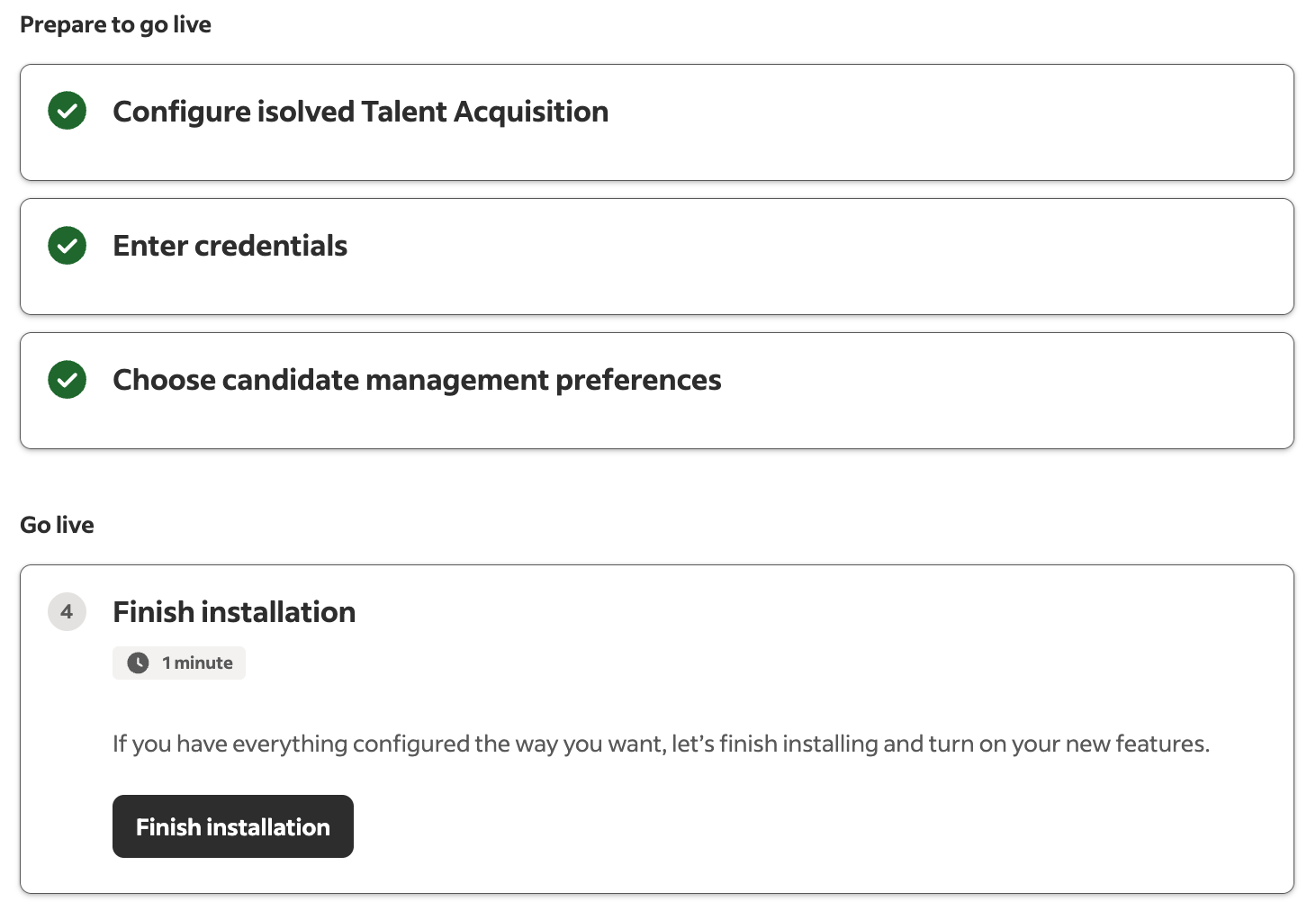
Complete the installation
Completed:
- Entered the API key
- Set candidate import preferences
- Activated the isolved Talent Acquisition integration
Your isolved Talent Acquisition integration is active. Jobs sync to Indeed automatically.